
Download MicroFTP 2000 – ftp client, file transfer, web developer tool, website management, remote server access, ftp client for android, file upload, file download
Overview
MicroFTP 2000 is a free FTP client tailored for web developers seeking a streamlined solution for managing files on remote servers. Designed with efficiency and usability in mind, the app simplifies the process of uploading and downloading files, making it a valuable asset in daily web development workflows. Its core purpose lies in bridging the gap between local development environments and live web servers, enabling developers to maintain, update, and deploy website content with minimal friction.
The application targets both novice and experienced developers who require reliable access to remote file systems. Whether managing static HTML pages, updating content, or performing routine maintenance tasks, MicroFTP 2000 supports a range of real-world use cases. For instance, a developer working on a client website can use the app to quickly push updated files to a production server, reducing deployment time and minimizing errors.
Developed by Jason K. Menard and released on May 28, 2013, the app has maintained relevance in the productivity space despite its age. Although the developer did not provide additional technical details, the continued availability of the app suggests ongoing support or community interest. In the broader app ecosystem, MicroFTP 2000 fills a niche for lightweight, no-frills FTP tools on Android, offering a practical alternative to more complex desktop-based clients.
Key Features & Functionality
- User-Friendly Interface: The app features an intuitive graphic interface designed to minimize learning curves. Users can navigate file directories, initiate transfers, and manage connections without needing advanced technical knowledge. This is particularly beneficial for developers new to FTP protocols.
- Fast File Transfer: MicroFTP 2000 is optimized for efficient data transfer, allowing users to upload and download files quickly. This speed is crucial during active development cycles when frequent file updates are required.
- Webpage Creation Tools: Integrated tools support the creation and editing of web content directly within the app. While not a full-fledged code editor, this functionality enables developers to make minor changes and test updates on the fly.
- Standard FTP Commands: All essential FTP commands—such as
GET,PUT,LIST, andDELETE—are built into the application. This ensures compatibility with standard server configurations and allows for precise file management. - Routine Maintenance Capabilities: The app supports scheduled or on-demand maintenance tasks, such as checking file integrity, updating site content, or backing up critical assets. This helps developers keep websites operational and up-to-date.
For example, a developer managing a small business website can use MicroFTP 2000 to upload updated product images and modify text content directly from a smartphone. The app’s ability to handle multiple server connections also supports projects that involve staging and production environments.
Interface, UX & Performance
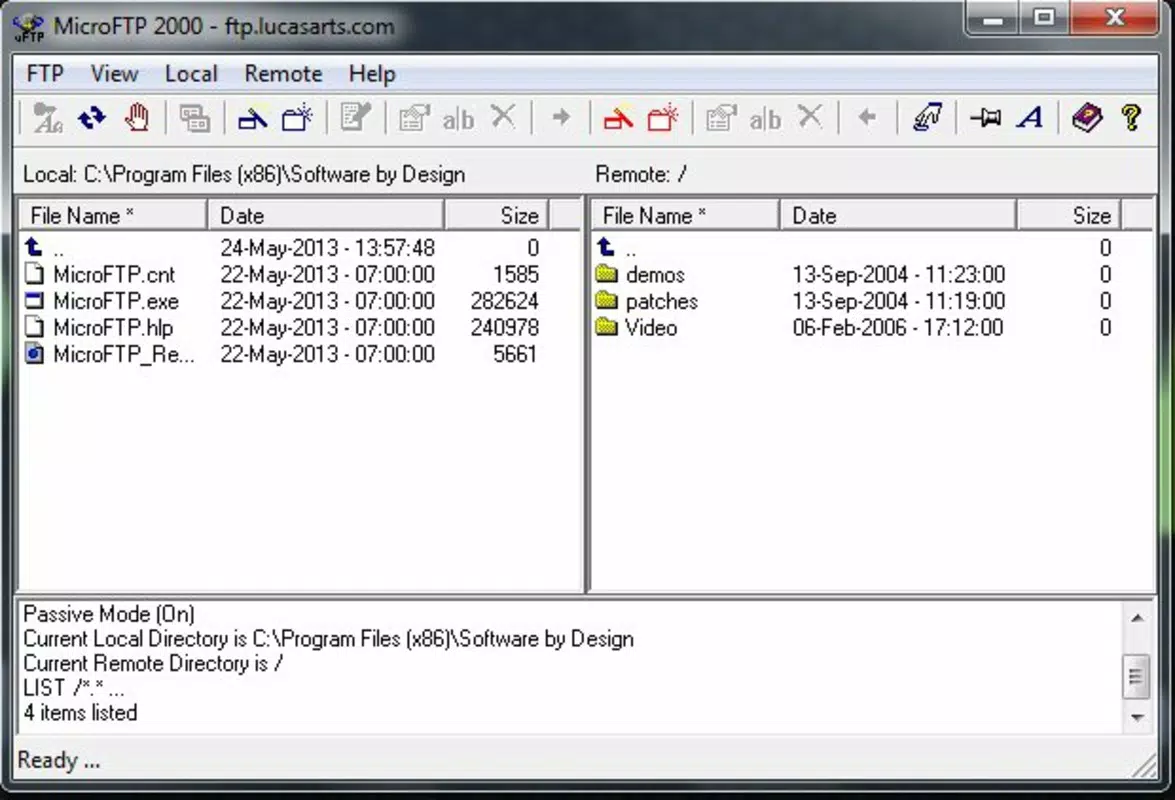
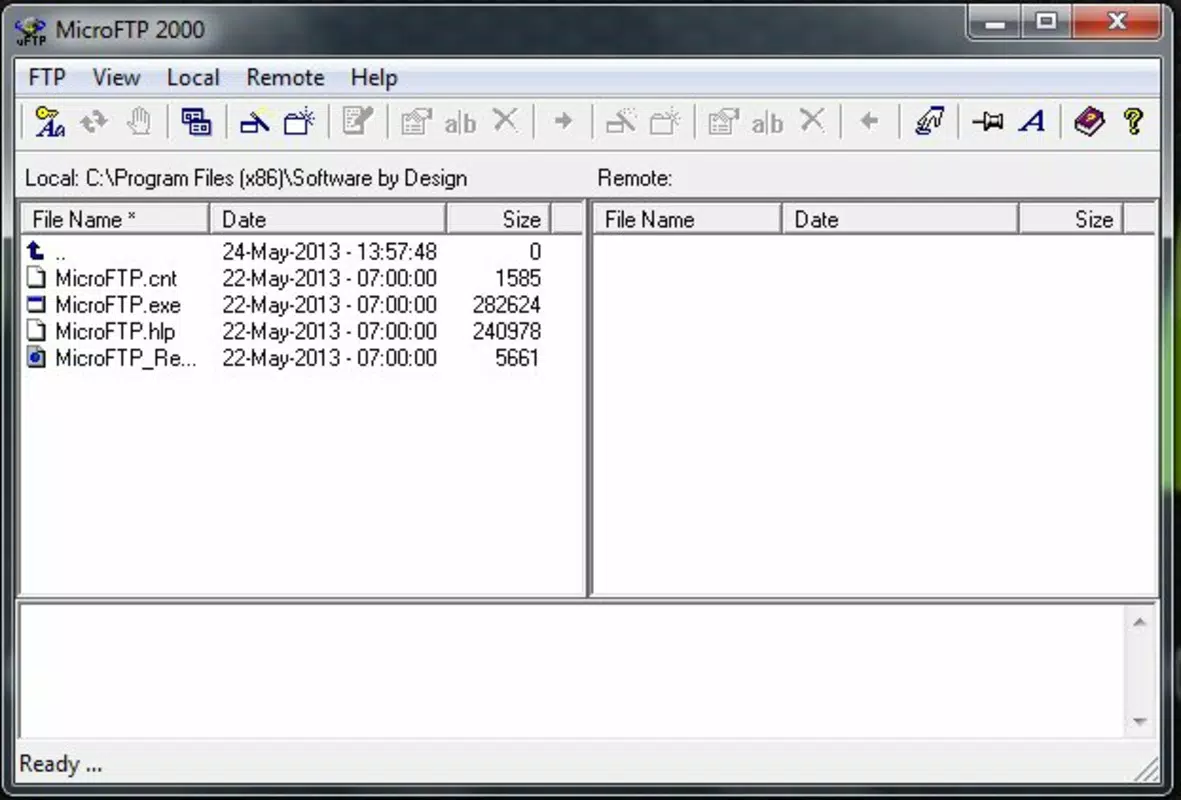
MicroFTP 2000 presents a clean, minimal interface that prioritizes functionality over visual flair. The layout is organized into dual-pane views, allowing users to compare local and remote directories side by side. Navigation is straightforward, with clearly labeled buttons for common actions like connect, upload, and download.
Interaction is consistent across different screen sizes, suggesting compatibility with a range of Android devices. Although the developer did not list formal performance metrics, the app’s lightweight footprint of 4.8 MB indicates efficient resource usage. Users can expect stable operation during typical file transfer tasks, with minimal lag or crashes.
Responsiveness is adequate for basic FTP operations, though complex workflows involving large file transfers may depend on network conditions. The app does not report issues with stability or freezing during standard use, which supports its reliability for routine tasks. However, users should be aware that no recent updates have been released, which may affect compatibility with modern server security protocols over time.
Platform Compatibility & Technical Requirements
MicroFTP 2000 is available exclusively on the Android platform. The current version is 2.0.0, with a file size of 4.8 MB. The developer did not specify minimum OS requirements or compatibility details for newer Android versions.
Given its release date in 2013, users should verify whether the app functions properly on modern Android devices. While the app may still run on recent systems due to its lightweight nature, compatibility with newer security standards or API changes cannot be confirmed. No information was provided about required permissions, background execution, or storage access.
Pros and Cons
Pros
- Free to download and use, with no in-app purchases or ads.
- Lightweight design (4.8 MB) ensures minimal impact on device storage.
- Intuitive interface suitable for both beginners and experienced developers.
- Supports standard FTP commands for reliable file management.
- Efficient file transfer speeds enhance productivity during development.
Cons
- Release date is over a decade old; may lack support for modern security protocols.
- Developer did not disclose compatibility with current Android versions.
- No recent updates or feature enhancements have been released.
- Basic interface may feel outdated compared to modern apps.
- Limited documentation or user support resources available.
FAQ
Is MicroFTP 2000 safe to install on Android?
Yes, the app is free and available from trusted sources. However, users should ensure they download it from a verified platform to avoid tampered versions.
Can I use MicroFTP 2000 to manage multiple websites?
Yes, the app supports multiple server connections, allowing users to switch between different websites or environments efficiently.
Does MicroFTP 2000 support SFTP or FTPS?
The app is designed for standard FTP connections. Specific support for SFTP or FTPS was not mentioned in the provided information.
How do I update MicroFTP 2000?
As of now, no updates have been released since version 2.0.0. Users should check official sources for any future releases.
Is MicroFTP 2000 suitable for beginners?
Yes, the user-friendly interface and straightforward workflow make it accessible to developers with limited FTP experience.
Final Thoughts
MicroFTP 2000 remains a practical choice for web developers seeking a lightweight, free FTP client for Android. Its straightforward interface, fast transfer speeds, and support for essential FTP commands deliver tangible value in daily workflows. While its age raises concerns about modern compatibility and security, its core functionality remains effective for basic file management tasks.
Developers managing small to medium websites, especially those who prefer mobile access for quick updates, will benefit most from this tool. For users requiring advanced features, encryption, or frequent updates, alternatives may be more suitable. However, for a no-cost, no-frills FTP solution, MicroFTP 2000 continues to hold its ground.
Download MicroFTP 2000 now


